GlowTrack / Face & body progress photos
GlowTrack
Your photo progress, day by day.
GlowTrack is an iPhone app for documenting face and body changes through photos. It organizes progress projects, helps repeat your framing, and provides before-and-after comparisons and timelapse videos. Data is stored locally, with optional iCloud backup. Downloading is free, with premium features offered through subscriptions.
Information checked on November 1, 2026
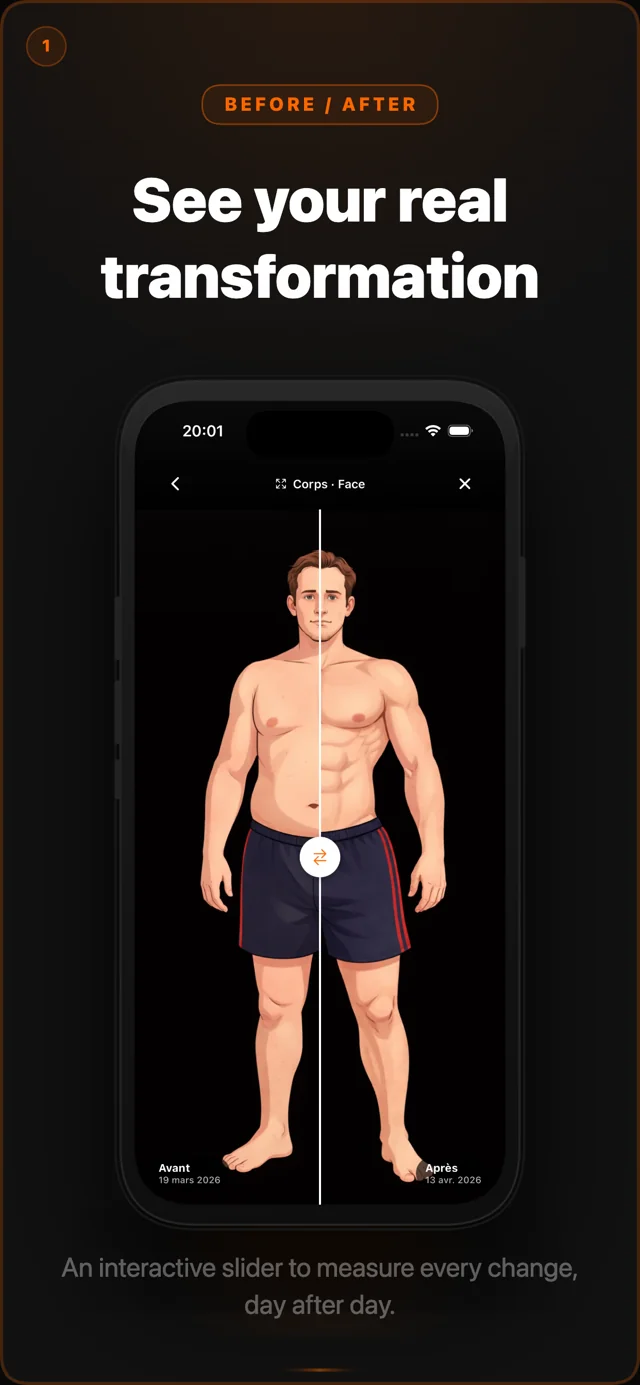
Project screenshots with demonstration data; the interface may vary by version.
Features
What you can do.
01
Repeat your framing
Use the previous photo as an overlay to help repeat your position.
02
Compare two moments
Organize multiple progress projects and explore photos with a before-and-after comparison.
03
Your progress in a video
Create a timelapse from your photos and export the video on iPhone.
At a glance
The details
that matter.
Who is it for?
For people who want a visual record of a fitness routine, physical changes or their skin’s appearance, with progress photos organized separately from their camera roll.
- Devices
- iPhone · iOS 15.1 or later
- Languages
- English is listed on the App Store. Other translations in the project still need confirmation in the distributed version.
- Pricing
- Free download. Premium features are offered through monthly or annual subscriptions. Check current prices and offer terms in the app and App Store before subscribing.
- Account
- No account required
- Advertising
- No ads
Privacy
Your data.
Your choices.
Photos and progress data are stored on the device. No GlowTrack account is required. Optional iCloud backup is off by default and uses your personal Apple account. You choose whether to export or share content; support messages you send leave the device.
App privacy policyFAQ
Frequently asked questions
Is GlowTrack free?
Free download. Premium features are offered through monthly or annual subscriptions. Check current prices and offer terms in the app and App Store before subscribing.
Do I need an account?
No account required. Photos and progress data are stored on the device. No GlowTrack account is required. Optional iCloud backup is off by default and uses your personal Apple account. You choose whether to export or share content; support messages you send leave the device.
Which devices does it work on?
iPhone · iOS 15.1 or later. English is listed on the App Store. Other translations in the project still need confirmation in the distributed version.
Does GlowTrack medically analyze my photos?
Photos support visual comparison, not diagnosis or medical measurement. Framing and lighting affect what you see. No physical transformation is guaranteed. Native video export and iCloud backup are designed for iOS.
Where can I download the official app?
Use the App Store link on this page to open the official GlowTrack listing. No Google Play link is provided until availability has been confirmed.
This page is based on the app project and its App Store listing. Availability and terms may vary by version and region. Official App Store listing.
You may also like
One studio. Three everyday companions.